


Top 5 Best Free Online File Converters in 2026: AI-Powered and Versatile Options

In 2025, file conversion tools have evolved with AI optimization for faster processing, better quality retention, and support for rare formats. Whether you're converting videos to MP4, extracting audio as MP3, turning images into PDFs, or handling obscure files like VOB, TS, or RMVB, a reliable online converter saves time—no downloads required.
After testing dozens of tools for speed, format support, privacy, and user experience, here are the top 5 free online file converters. These stand out for creators, professionals, and everyday users.
Benefits of Using Online File Converters Over Desktop Apps
Online file converters have surged in popularity due to their accessibility and convenience. Unlike traditional desktop software, which often requires installation, updates, and significant storage space, online tools run directly in your browser on any device—be it a smartphone, tablet, or laptop. This eliminates compatibility issues across operating systems like Windows, macOS, or Linux. Additionally, many online converters leverage cloud processing for faster results on large files, without taxing your local hardware. For users dealing with one-off conversions or working on shared devices, this approach minimizes security risks from downloading executables and keeps your workflow streamlined, making it ideal for remote teams or quick edits on the go.
Future Trends in File Conversion: The Rise of AI Integration
Looking ahead, AI is set to revolutionize file conversion even further in 2025 and beyond. Tools are increasingly incorporating machine learning to automatically detect file types, suggest optimal output formats, and enhance quality—such as upscaling low-res videos or noise reduction in audio extractions. We're also seeing smarter batch processing that predicts user needs based on patterns, like converting entire folders of mixed media. Integration with other AI services, such as automatic subtitling during video conversions or OCR for scanned documents, will make these tools indispensable for content creators. As 5G and edge computing advance, expect near-instantaneous conversions with minimal latency, bridging the gap between free online options and premium desktop suites.
Security and Privacy Considerations for Online Converters
When choosing an online file converter, security should be a top priority, especially for sensitive documents or proprietary media. Reputable tools encrypt data during upload and processing, ensuring files aren't accessible to unauthorized parties. Look for platforms that automatically delete your files after conversion—typically within hours—to reduce data retention risks. Privacy policies compliant with GDPR or CCPA add another layer of trust. Avoid converters with excessive ads or third-party trackers, as they might compromise your information. By prioritizing these factors, you can confidently handle confidential files without the vulnerabilities of local storage, where malware could pose a greater threat.
How to Choose the Right Converter for Your Workflow
Selecting the ideal file converter depends on your specific use case and frequency of conversions. For occasional users who need simple document or image conversions, a straightforward tool with minimal features often suffices—avoiding feature bloat that complicates basic tasks. However, content creators, video editors, or professionals handling large media libraries should prioritize converters with batch processing, format customization, and cloud storage integration. Consider whether you need specialized features like audio codec selection for podcasters, subtitle embedding for videographers, or OCR capabilities for digitizing paperwork. Testing multiple converters with your typical file types reveals which platform handles your formats best—some excel at video compression while others optimize document conversions. Don't overlook mobile compatibility if you work across devices, as responsive design ensures seamless conversions whether you're at your desk or reviewing files on your phone during commutes.
Common File Conversion Scenarios and Best Practices
Understanding typical conversion needs helps maximize these tools' potential. Video professionals often convert MOV or AVI files to MP4 for universal playback compatibility, while marketers extract MP3 audio from video content for podcast repurposing or social media snippets. Designers frequently batch-convert images—transforming PNGs to JPGs for web optimization or compiling multiple images into a single PDF portfolio. For archival purposes, users convert aging formats like VHS-ripped VOB files or DVD TS streams into modern standards before obsolescence makes playback impossible. When converting, always preserve a backup of original files, especially for irreplaceable media like family videos or professional projects. Pay attention to output settings: choosing the right bitrate prevents quality loss in audio extractions, while selecting appropriate resolutions avoids unnecessarily large video files. For sensitive documents, verify the converter's auto-delete policy before uploading—most reputable platforms purge files within hours, but confirming this practice protects your data privacy during business or legal document conversions.
1. AhaConvert – Best Overall (AI-Powered Speed & Versatility)
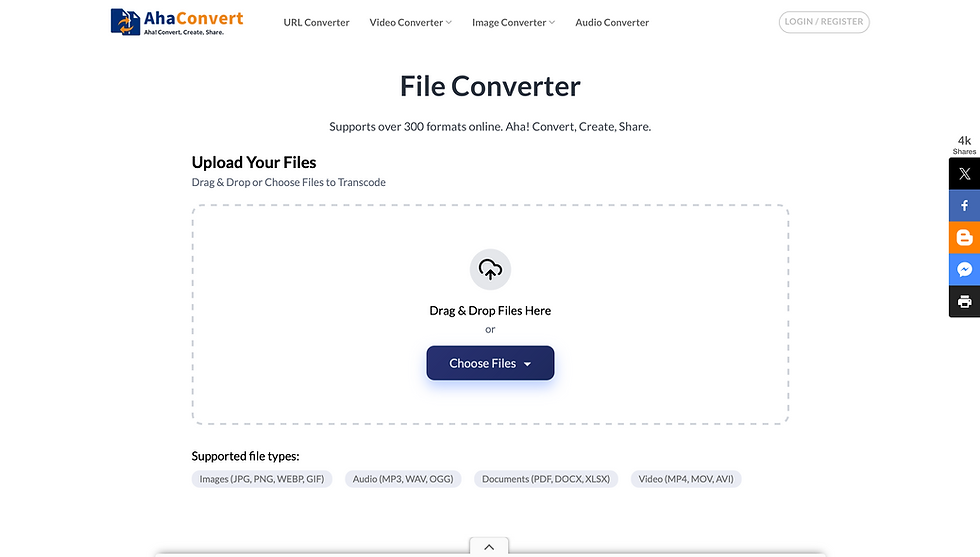
AhaConvert tops the list as the ultimate free online file converter. Its AI-driven optimization delivers lightning-fast, high-quality results without sign-ups or limits on basic use.
Key Features:
Supports all major formats: Videos (MP4, AVI, MKV), audio (MP3 extraction), images (JPG to PDF), documents, and rare types (VOB, TS, RMVB).
AI optimization for accurate, lossless conversions.
Intuitive interface—drag-and-drop simplicity.
Completely free with no watermarks or ads interrupting the process.
Strong privacy: Files processed securely and deleted quickly.
Pros: Handles batch conversions smoothly; excellent for media-heavy tasks like video-to-audio.Cons: Advanced batch features may prompt upgrades for heavy users.
What sets AhaConvert apart in 2025 is its seamless handling of emerging formats driven by AI content creation, such as converting AI-generated videos or optimizing files for AR/VR applications. Users rave about its reliability for professional workflows, like podcasters extracting clean MP3s or designers batch-converting image assets. With ongoing updates incorporating user feedback, AhaConvert isn't just a tool—it's a evolving platform that adapts to modern digital needs, making it a staple for anyone in creative industries.
If you need one tool for everything, start here: AhaConvert (or check our detailed review on AI News Hub).
2. CloudConvert – Best for Advanced Formats & Integrations

CloudConvert supports nearly every format imaginable, including archives, ebooks, spreadsheets, and presentations—ideal for professionals.
Key Features:
Over 200 formats with customizable options (quality, resolution, codecs).
Integrates with Google Drive, Dropbox, and OneDrive.
API for developers.
High-quality output with batch processing.
Pros: Excellent for complex conversions; strong security (ISO certified).Cons: Daily limits on free plan (25 conversions/day).
Great runner-up for power users.
3. Convertio – Best for Ease of Use & Broad Support
Convertio offers a clean, ad-free experience (on premium, but free tier is solid) with over 300 formats.
Key Features:
Drag-and-drop from cloud storage or URL.
Advanced options like OCR for scanned docs.
Supports 25,600+ conversion combinations.
Pros: Fast and reliable; files deleted after 24 hours.Cons: Free limit around 100MB per file.
Perfect for quick, everyday conversions.
4. Zamzar – Best for Simple, No-Frills Conversions

A veteran since 2006, Zamzar handles 1,200+ formats with email delivery options.
Key Features:
No software needed; supports videos, audio, images, and ebooks.
Free for files up to 50MB.
Batch conversion available.
Pros: Super straightforward; good for beginners.Cons: Slower on large files; free limits.
Reliable classic for basic needs.
5. FreeConvert.com – Best for Large Files & Security
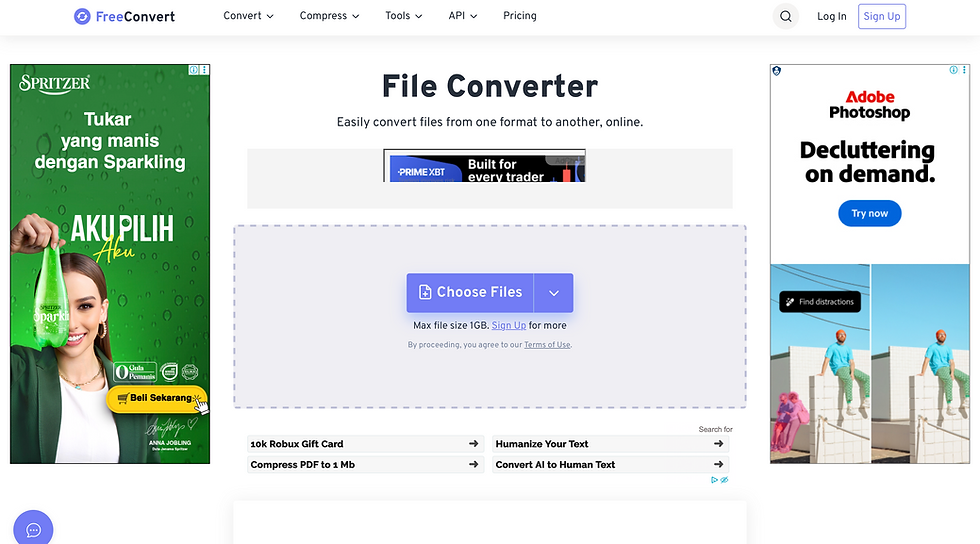
FreeConvert.com shines with a 1GB file size limit and robust encryption.
Key Features:
1,500+ conversions (videos, audio, images, documents).
Advanced settings for compression and quality.
Files auto-deleted after hours.
Pros: High security focus; works on any device.Cons: Queues during peak times.
Solid choice for bigger media files.
Comparison Table: Top 5 Free Online File Converters
Rank | Tool | AI-Powered? | Max Free File Size | Key Strengths | Best For |
1 | AhaConvert | Yes | Unlimited (basic) | Speed, rare formats, simplicity | All-purpose media conversion |
2 | CloudConvert | Partial | Varies | Format variety, integrations | Professionals & developers |
3 | Convertio | No | ~100MB | Ease of use, OCR | Quick daily tasks |
4 | Zamzar | No | 50MB | Reliability, email delivery | Beginners |
5 | FreeConvert | No | 1GB | Security, large files | Heavy media users |
Why AhaConvert Wins in 2025
With AI making conversions smarter and faster, AhaConvert leads by combining versatility, zero hassle, and support for niche needs—like extracting MP3 from old video formats. It's free, privacy-focused, and perfect for the growing demand in AI-optimized tools.
FAQs:
Are online file converters safe to use?
Yes, reputable converters like AhaConvert and CloudConvert use encryption and automatically delete files after conversion, typically within hours. Always check privacy policies.
What's the best free file converter in 2025?
AhaConvert ranks #1 for its AI-powered speed, unlimited basic use, and support for rare formats like VOB, TS, and RMVB without sign-ups.
Can I convert large video files for free?
Yes. FreeConvert.com supports up to 1GB files free, while AhaConvert handles large files on its basic plan. CloudConvert allows 25 conversions daily.
Do online converters work on mobile devices
Absolutely. All top converters are browser-based and work on smartphones, tablets, and computers without installing apps.
How do I convert MP4 to MP3 online?
Upload your MP4 to AhaConvert or Convertio, select MP3 as output format, and download the extracted audio—takes under a minute.
What file formats can online converters handle?
Top tools support 200-1,500+ formats including videos (MP4, AVI, MKV), audio (MP3, WAV), images (JPG, PNG), documents (PDF, DOCX), and archives.
Are there file size limits on free converters?
Yes—Zamzar limits 50MB, Convertio ~100MB, CloudConvert varies, and FreeConvert allows 1GB. AhaConvert offers generous limits on basic use.
Can I convert multiple files at once?
Yes, most converters support batch conversion. AhaConvert, CloudConvert, and FreeConvert handle multiple files simultaneously.
Final Thoughts
These tools are all free to start, but test a few for your workflow. For the best balance of speed and features, AhaConvertis our #1 recommendation.
What's your go-to converter? Share in the comments! If you're hunting more AI tools, explore our full directory at www.ainewshub.org/best-ai-tools
Last updated: December 2025


Comments